Guide
Real Estate CRM: Features, Benefits & How to Build One
Here’s a number that should bother you: the average real estate agent follows up with a lead exactly once. One call, one email, then silence. Meanwhile, the data says it takes 5-8 touchpoints to convert a property lead into a genuine buyer or seller.
The gap between “how agents actually work” and “what actually closes deals” is where a real estate CRM earns its keep. Not as a fancy contact list—you’ve got a phone for that—but as the system that makes sure no lead, no follow-up, and no commission slips through the cracks.
This guide covers what a real estate CRM actually needs to do, whether you should build or buy one, and what it costs to get it right.
What Is a Real Estate CRM?
A real estate CRM (Customer Relationship Management) is software designed specifically for property businesses—agencies, developers, property managers—to manage leads, listings, transactions, and client relationships in one place.
Generic CRMs like HubSpot or Salesforce can handle contacts and deals. But real estate has quirks that generic tools struggle with:
- Listings with rich property data (photos, floor plans, pricing tiers, availability status)
- Dual-sided relationships — you’re managing buyers AND sellers, sometimes on the same deal
- Commission structures that vary by agent, deal type, and split agreements
- Portal syndication — pushing listings to Domain, REA, or other property portals
- Long sales cycles — a buyer might browse for 6-12 months before purchasing
A purpose-built real estate CRM handles these natively instead of forcing you to hack workarounds on top of a generic platform.
Core Features of a Real Estate CRM
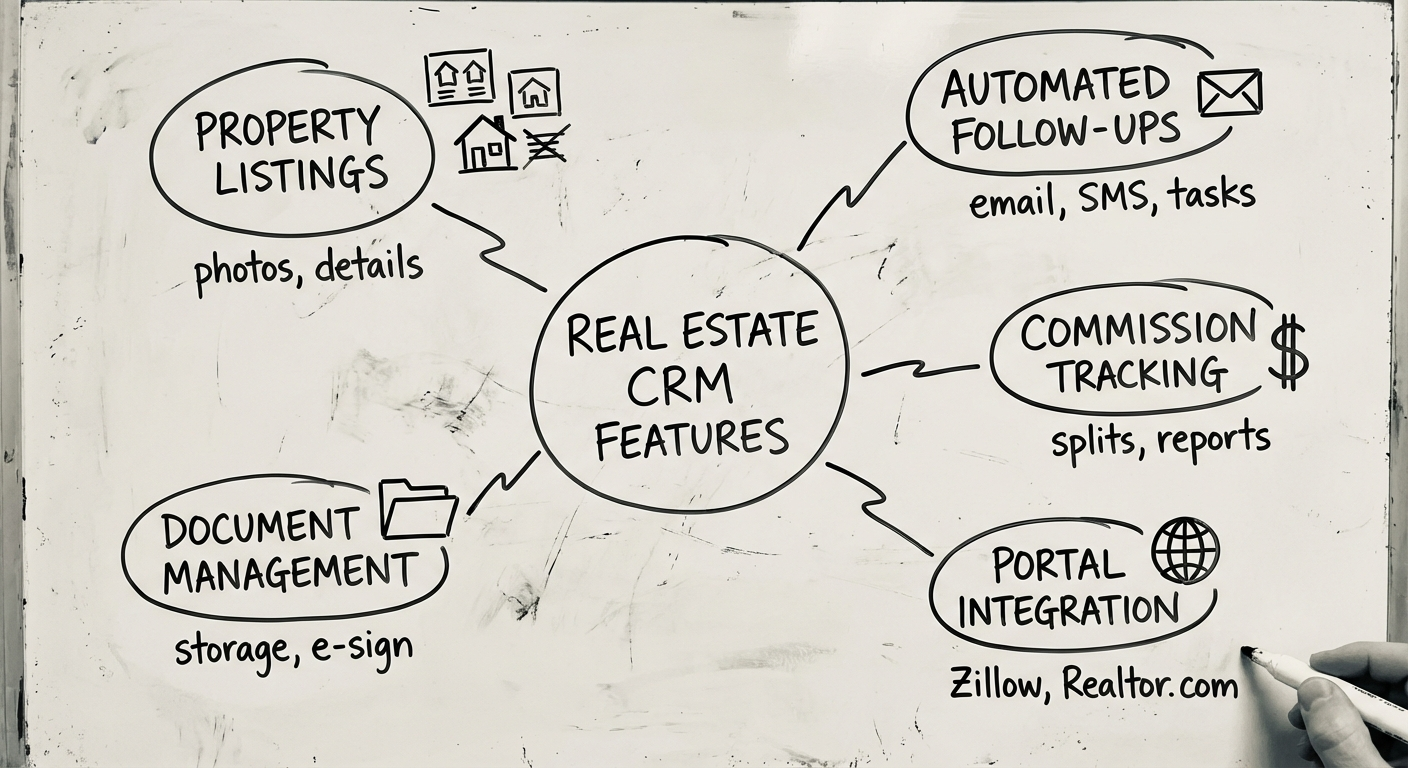
Not every real estate CRM needs every feature on day one. But these six capabilities form the backbone of any system worth building.
1. Lead Management
The lifeblood of any property business. Your CRM needs to:
- Capture leads automatically from your website, property portals (Domain, realestate.com.au), social media ads, and walk-ins
- Score and prioritise leads based on engagement, budget, and timeline
- Assign leads to agents using round-robin, territory-based, or performance-based rules
- Track the full history — every call, email, inspection, and interaction in one timeline
The goal isn’t storing contacts. It’s making sure the hottest leads get the fastest response.
2. Property Listings Management
Your CRM should double as your listing database:
- Centralised property records with photos, floor plans, documents, and pricing
- Status tracking — listed, under offer, sold, leased, withdrawn
- Matching engine — automatically match properties to buyer/tenant preferences
- Multi-channel publishing — update once, push to your website and portals simultaneously
This eliminates the spreadsheet-plus-email chaos that most agencies still run on.
3. Automated Follow-Ups
This is where most agencies leak money. A good CRM automates the touchpoints that humans forget:
- Drip email sequences for new enquiries (day 1, day 3, day 7, day 14)
- SMS reminders before open inspections
- Post-inspection follow-up surveys
- Anniversary and settlement milestone messages
- Re-engagement campaigns for cold leads
Set it once, let it run. Your agents focus on conversations, not remembering to send emails.
4. Deal Pipeline & Transaction Management
Real estate deals have stages. Your CRM should visualise them:
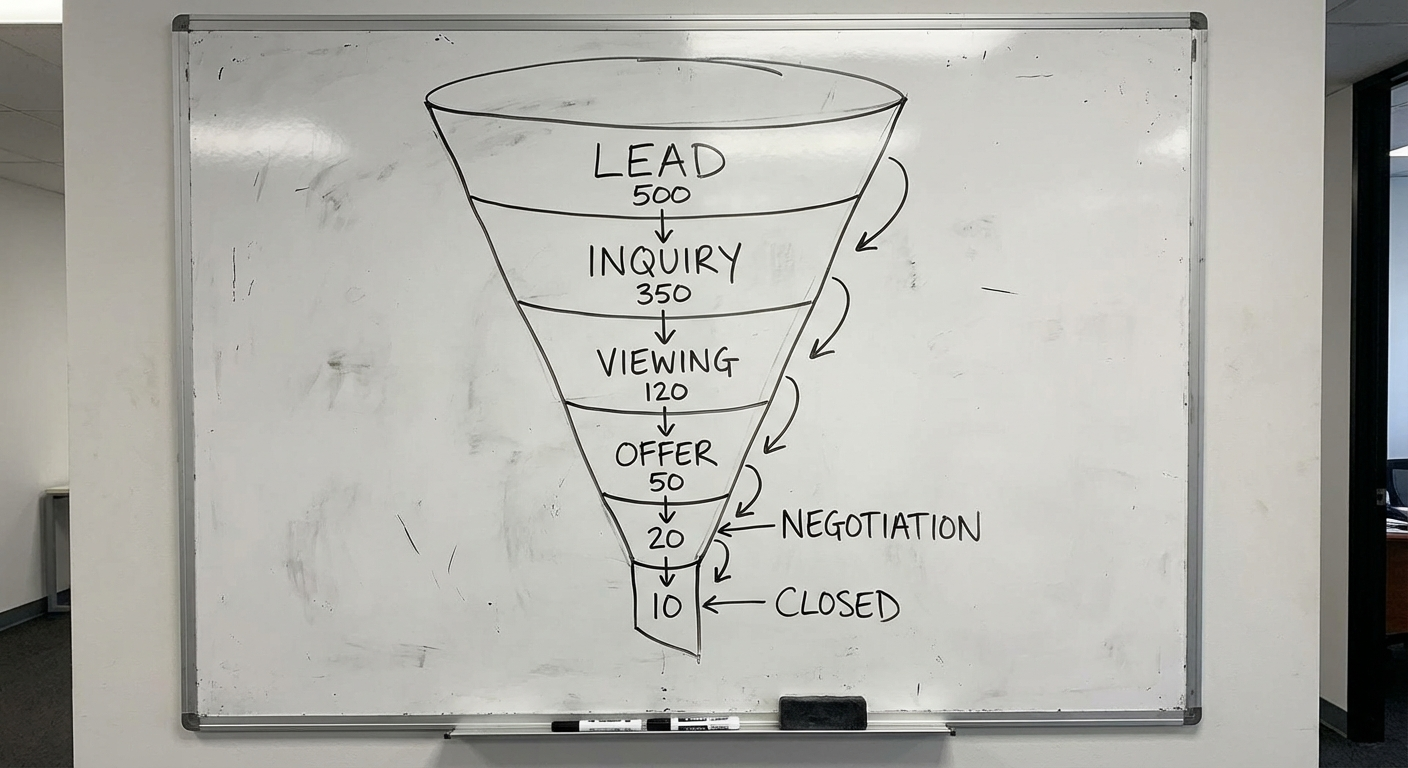
- Customisable pipeline stages — enquiry → inspection → offer → negotiation → exchange → settlement
- Document management — contracts, disclosures, inspection reports attached to each deal
- Task automation — trigger checklists when a deal moves to a new stage
- Deadline tracking — cooling-off periods, finance clauses, settlement dates
This gives principals and team leaders a live view of revenue in the pipeline—not a guess.
5. Commission Tracking
Real estate commission structures are notoriously complex:
- Split commissions between listing agent, selling agent, and agency
- Tiered structures — different rates based on sale price brackets
- GST calculations and tax reporting
- Referral fees and conjunctional arrangements
- Forecasting — projected commissions based on pipeline deals
If your agents can’t see their projected earnings in real time, they’re flying blind. And so are you.
6. Portal Integration
In Australia, Domain and realestate.com.au dominate property search. Your CRM needs to:
- Syndicate listings to major portals via API or feed
- Pull enquiries back from portals into your CRM automatically
- Track portal performance — which listings get views, which portals convert
This closes the loop: listings go out, leads come back, everything lives in one system.
Build vs Buy: The Real Decision
You’ve got three paths. Each has trade-offs.
Option 1: Off-the-Shelf Real Estate CRMs
Platforms like AgentBox, Rex, VaultRE, or Eagle Software are built for Australian real estate. They’re proven, they integrate with local portals, and they work out of the box.
Best for: Small to mid-size agencies with standard workflows who need something running this week.
The catch: You adapt your process to the software, not the other way around. Customisation is limited. And you’re paying per-seat subscriptions that compound as you grow.
Option 2: Generic CRM + Customisation
Salesforce or HubSpot with custom objects, workflows, and integrations bolted on. Powerful platforms with massive ecosystems.
Best for: Large enterprises that already use Salesforce/HubSpot across other business units and want everything in one ecosystem.
The catch: You’ll need a Salesforce consultant ($150-250/hr), and you’re essentially building custom software on top of someone else’s platform. Licensing costs alone can run $75-150/user/month before you write a single line of custom code.
Option 3: Custom-Built CRM
Purpose-built from scratch for your exact workflow, data model, and integration needs.
Best for: Property developers, franchise groups, or agencies with unique processes that off-the-shelf tools can’t support.
The catch: Higher upfront cost and longer timeline. But you own the code, control the roadmap, and pay zero licensing fees.
How to Decide
| Factor | Off-the-Shelf | Generic + Custom | Fully Custom |
|---|---|---|---|
| Time to launch | Days | 2-4 months | 3-6 months |
| Upfront cost | $0 | $30K-$80K | $80K-$250K+ |
| Monthly cost | $50-200/user | $75-200/user + maintenance | Hosting only ($200-2K) |
| Customisation | Limited | Moderate | Unlimited |
| Ownership | Vendor | Vendor platform | You own everything |
| Best for | Standard agencies | Enterprise with existing CRM | Unique workflows |
Rule of thumb: if your CRM IS your competitive advantage (e.g., you’re a proptech company or a developer with proprietary sales processes), build custom. If it’s a support tool, buy.
For a deeper dive on the build vs buy question, see our complete guide to custom software development.
Tech Stack for a Custom Real Estate CRM
If you go the custom route, here’s what a modern real estate CRM tech stack looks like:
Frontend
- React or Next.js — component-based UI, fast rendering
- Tailwind CSS — rapid, consistent styling
- Mapbox or Google Maps API — property location views and search
Backend
- Node.js (NestJS) or Python (Django/FastAPI) — API layer
- PostgreSQL — relational database for structured property and contact data
- Redis — caching for fast search and session management
- Elasticsearch — full-text property search with filters
Infrastructure
- AWS or GCP — cloud hosting with auto-scaling
- Docker + Kubernetes — containerised deployment
- CI/CD pipeline — automated testing and deployment
Integrations
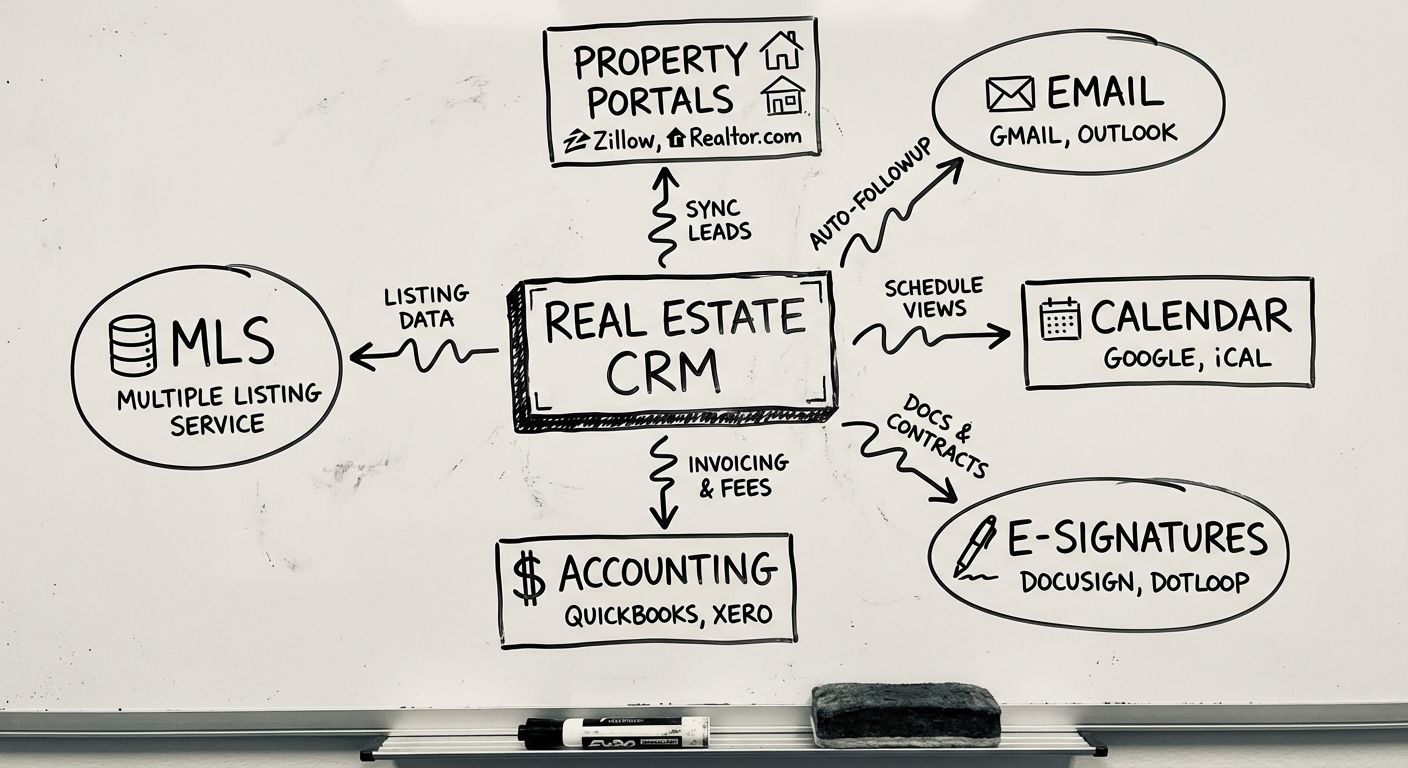
- Property portal APIs (Domain, REA Group)
- Email/SMS providers (SendGrid, Twilio)
- Calendar sync (Google Calendar, Outlook)
- Accounting (Xero, MYOB)
- Document signing (DocuSign, Annature)
The stack should match your team’s skills and your scale. Don’t over-engineer for 10 users what you’d build for 10,000.
For more on choosing the right tech stack, check our CRM software guide.
Development Process
Building a real estate CRM follows a proven process. Here’s what it looks like in practice:
Phase 1: Discovery & Requirements (2-4 weeks)
- Map your current workflow end-to-end
- Identify pain points and automation opportunities
- Define user roles and permissions
- Document integration requirements
- Produce a technical blueprint with wireframes
Phase 2: Design & Prototyping (2-3 weeks)
- UI/UX design for core screens (dashboard, lead view, pipeline, listings)
- Interactive prototype for stakeholder validation
- Mobile-responsive design (agents work from their phones)
Phase 3: Core Development (8-12 weeks)
- Build the backend API and database schema
- Develop frontend interfaces
- Implement lead management and pipeline
- Set up property listings module
- Build role-based access control
Phase 4: Integrations & Automation (3-4 weeks)
- Connect portal APIs (Domain, REA)
- Set up email/SMS automation workflows
- Integrate calendar, accounting, and document signing
- Build commission calculation engine
Phase 5: Testing & Launch (2-3 weeks)
- End-to-end testing with real data
- User acceptance testing with agents and admins
- Data migration from existing systems
- Training and documentation
- Staged rollout (pilot team → full agency)
Total timeline: 4-6 months for a full-featured real estate CRM. An MVP with core features (leads, listings, pipeline) can ship in 8-10 weeks.
What Does a Real Estate CRM Cost?
Costs vary based on scope, but here are realistic ranges:
Custom Build Costs
| Scope | Timeline | Cost Range (AUD) |
|---|---|---|
| MVP (leads, listings, pipeline) | 8-10 weeks | $60K-$100K |
| Full-featured (all 6 core modules) | 4-6 months | $120K-$250K |
| Enterprise (multi-office, advanced analytics, AI) | 6-12 months | $250K-$500K+ |
Ongoing Costs
- Hosting & infrastructure: $200-$2,000/month depending on scale
- Maintenance & updates: 15-20% of build cost annually
- Third-party APIs: $100-$500/month (maps, SMS, email, portals)
Compare to Off-the-Shelf
A team of 20 agents on a $150/user/month platform costs $36,000/year in licensing alone. Over 5 years, that’s $180,000—with no ownership, limited customisation, and the risk of price increases.
A custom build breaks even in 2-3 years for mid-size agencies, and pays dividends in flexibility and ownership after that.
When a Custom Real Estate CRM Makes Sense
Not everyone needs custom. Here’s when it clearly does:
- You’re a property developer with a proprietary sales process (display suites, EOI campaigns, settlement tracking)
- You’re a franchise group needing consistent systems across 20+ offices
- You’re building a proptech product where the CRM IS the business
- You’ve outgrown off-the-shelf and the workarounds are costing more than a rebuild
- You need deep integration with internal systems that no SaaS tool supports
Next Steps
If you’re evaluating whether to build a real estate CRM—or you’ve already decided and need a team to execute—we can help.
We’ve built CRM systems across property, logistics, and professional services. We know the difference between a contact database and a system that actually drives revenue.
The best CRM is the one your team actually uses. That starts with building it around how they already work—not forcing them into someone else’s workflow.
Need help putting this into practice?
Book a Blueprint session and we'll turn the ideas in this article into your next validated release.
Book a Discovery Call