Methodology
What Should Be Inside a Software Blueprint Before Development Starts
A software blueprint should tell a team what to build, why it matters, what not to build yet, what the biggest risks are, and what evidence supports the decision.
That sounds obvious until you read most pre-development documents. They list features. They capture stakeholder requests. They include a few wireframes. Then everyone signs off and pretends the expensive part is now safe. Cute. Also dangerous.
This guide shows what should be inside a build-ready software blueprint before development starts: the sections, the evidence, the trade-offs, and the decision gate that separates a useful blueprint from a nicely formatted guess.
TL;DR — the whole guide in five lines:
- A software blueprint is a decision document, not a feature wishlist — it should make the build decision clearer, smaller, and easier to challenge.
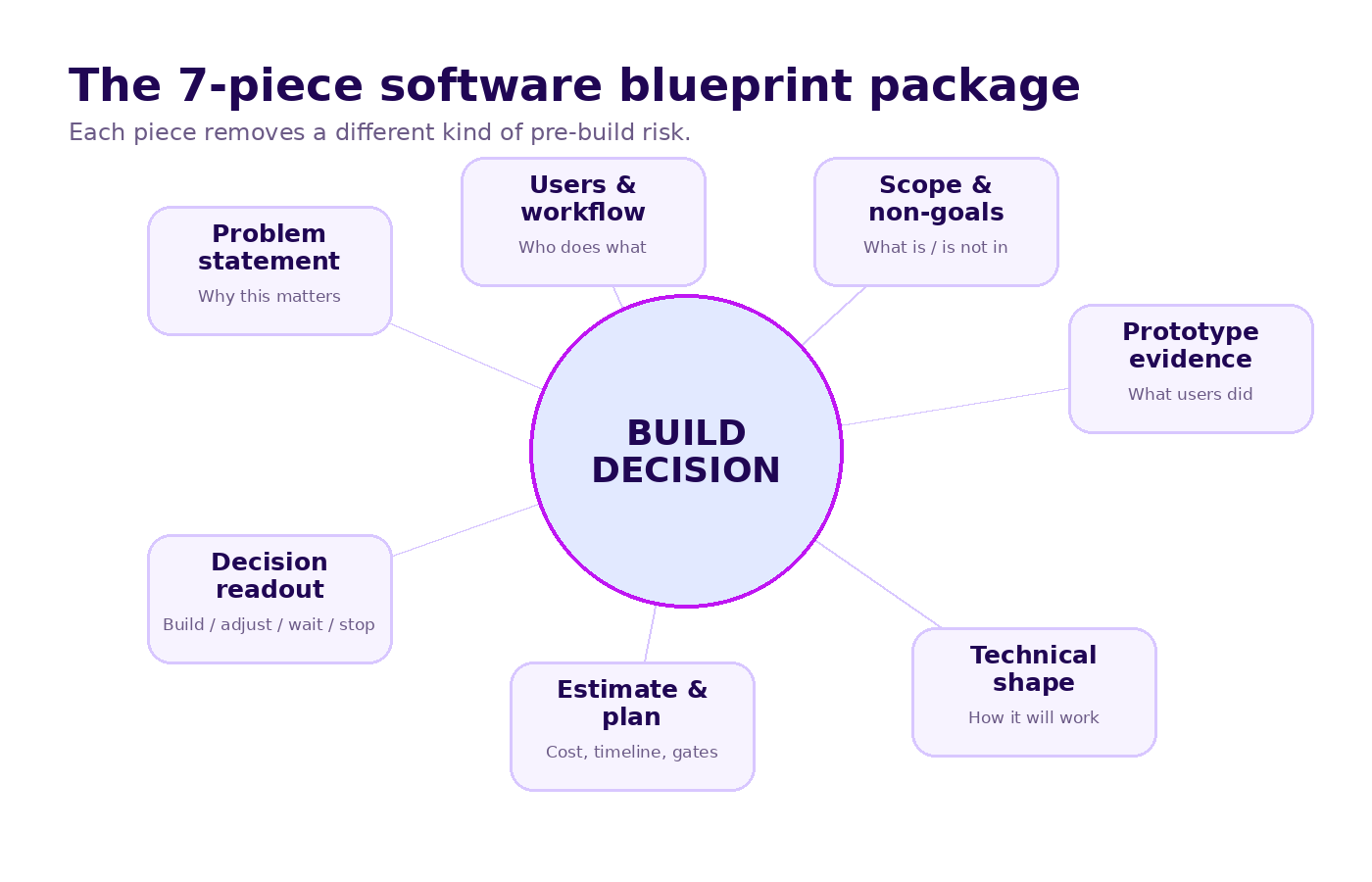
- The core package has seven pieces: problem, users, workflow, scope, prototype evidence, technical shape, and estimate with gates.
- The most important line is the non-goal line — if the blueprint does not say what is out, scope creep is already inside the room wearing shoes.
- Prototype findings belong inside the blueprint because behavior beats opinion when deciding what should enter production.
- A good blueprint ends in one of four calls: build, adjust, wait, or stop — with evidence attached.
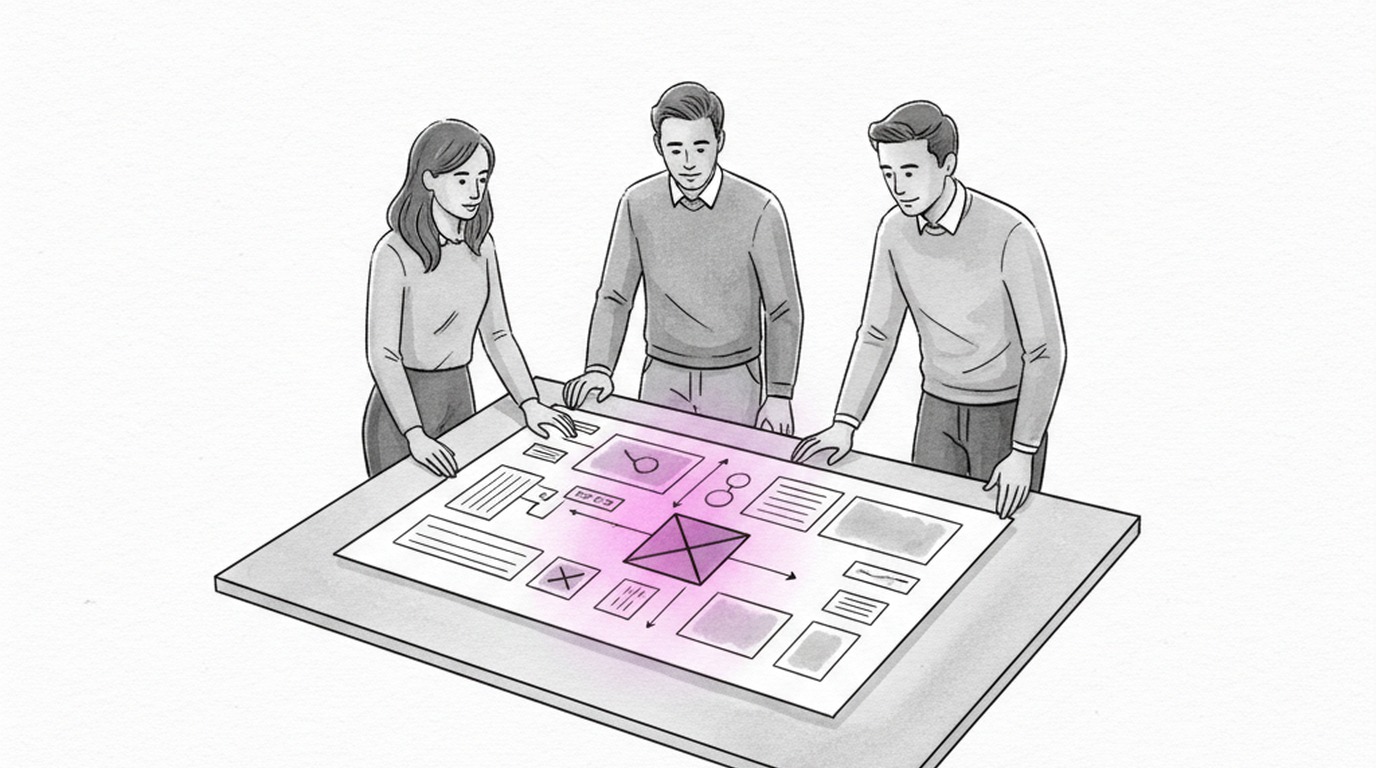
The point of a software blueprint is not to document certainty. It is to make uncertainty visible before the development budget moves.
What is a software blueprint?
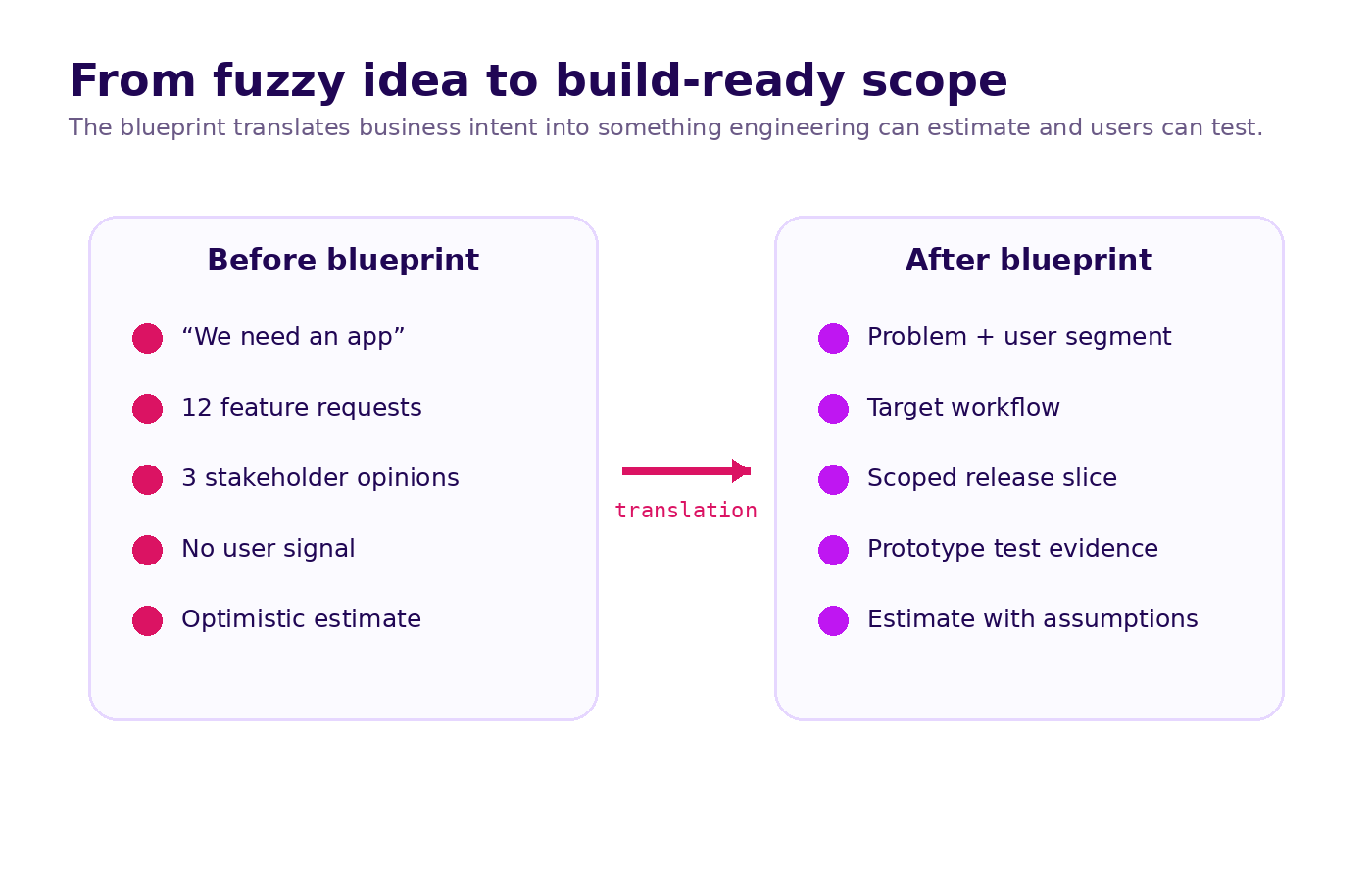
A software blueprint is a decision-ready package that translates a business problem into validated scope, target workflow, technical direction, delivery plan, and measurable success criteria before production development starts.
It is not just a PRD. It is not just a wireframe set. It is not just an estimate.
A useful blueprint answers four questions in plain language:
- Should we build this?
- What exactly should enter the first build?
- What risk are we accepting if we continue?
- What evidence says this is worth the budget?
Here is the simplest comparison.
| Document | Main purpose | Typical weakness | What a blueprint adds |
|---|---|---|---|
| Feature list | Capture requested functionality | No link to user behavior or business outcome | Evidence, priority, and non-goals |
| PRD | Describe product requirements | Can become a long agreement between insiders | Testable assumptions and decision criteria |
| Wireframes | Show interface direction | Easy to approve without real user signal | Prototype findings and workflow evidence |
| Technical estimate | Price and timeline the work | Often based on vague scope | Assumption log, risk register, and delivery gates |
| Software blueprint | Decide what to build before development | Fails only when it becomes decorative | Scope, evidence, trade-offs, and next call |
If your blueprint cannot help a founder, operator, designer, and developer reach the same build decision, it is not a blueprint yet. It is a meeting archive.
Validate it in 2 weeks. Synetica’s Blueprint & Prototype sprint turns a raw idea into a tested prototype, a build-ready blueprint, and a clear build / adjust / wait / stop recommendation.
What should be inside a software blueprint before development starts?
A build-ready software blueprint needs seven pieces: problem, users, workflow, scope, prototype evidence, technical shape, estimate and decision gates.
Think of the blueprint as the bridge between business intent and engineering execution. The business side says, “We need a better system.” The engineering side needs to know which workflow, which users, which data, which edge cases, which integrations, and which trade-offs are allowed.
The blueprint is where those two worlds stop nodding politely and start making decisions.
1. Problem statement: the pain, the buyer, and the reason now
Start with the problem, not the product.
A strong problem statement names:
- who has the pain
- what happens today
- how often it happens
- what it costs in time, money, risk, or missed opportunity
- why the current workaround is no longer acceptable
- what would change if the problem were solved
Weak version:
“We need a CRM so sales can track leads better.”
Blueprint version:
“The sales team loses follow-up context after the first call because lead status, WhatsApp history, and proposal ownership live in three separate places. The result is slower response time, duplicate outreach, and no reliable pipeline forecast. The first build should prove whether a shared lead workspace improves follow-up speed and owner accountability.”
Notice the difference. The second version can be tested. The first version can only be nodded at.
2. Target users and decision roles
Most software has more than one user. The mistake is treating all of them equally.
Your blueprint should separate:
- primary users — the people who must use the system for it to work
- secondary users — people who need visibility or occasional actions
- economic buyers — people approving the budget
- operational owners — people responsible after launch
- technical owners — people who will maintain, secure, or integrate it
This matters because each group defines success differently.
A founder may care about visibility. An operator may care about fewer manual steps. A finance lead may care about controls. A developer may care about integration complexity. If the blueprint hides those differences, development will surface them later — usually during the worst week of the project.
For user testing, keep the group small but real. Nielsen Norman Group’s usability research has long shown that testing with around five users can reveal many usability issues early. The exact number is less important than this principle: talking to five real users beats collecting fifty internal opinions.
3. Current workflow and target workflow
A software blueprint should include a workflow map before it includes a feature list.
Why? Because software does not replace a feature gap. It changes a way of working.
The workflow section should show:
- what happens today
- which steps are manual, duplicated, slow, risky, or invisible
- where handoffs break
- which data moves between people or systems
- which decisions need approval
- what the target workflow should look like after the software exists
This is where many projects get smaller in a good way.
You may discover that the first release does not need a full dashboard, approval engine, mobile app, admin panel, and reporting module. It needs one reliable workflow: intake → assignment → action → status → follow-up.
That smaller scope is not a compromise. It is how the first build earns the right to become the second build.
4. Scope boundaries: must-have, later, and explicitly not now
The most valuable section in a software blueprint is often the least glamorous one: what we are not building yet.
A good blueprint divides scope into four buckets:
| Scope bucket | Meaning | Example |
|---|---|---|
| Must-have | Required for the first release to work | Create lead, assign owner, record follow-up, update status |
| Should-have | Valuable, but not required for first signal | Saved filters, bulk import, basic dashboard |
| Later | Useful after adoption is proven | Forecasting, advanced automation, custom reports |
| Not now | Explicitly excluded to protect the build | AI lead scoring, full mobile app, complex permission engine |
The “not now” column is not pessimism. It is project insurance.
Every excluded item should have a reason: too risky, too expensive, not validated, dependent on adoption, or better handled by an existing tool. This protects the team from the classic trap: adding features to reduce anxiety, then creating more risk than the feature was meant to solve.
If a stakeholder wants something back in scope, the blueprint should make the trade-off visible: what gets delayed, what risk increases, and what evidence justifies the change.
5. Prototype evidence: what users did, not only what they said
A blueprint built only from interviews is still missing the most useful evidence: behavior.
That is why Synetica pairs Blueprint & Prototype together. The blueprint defines the riskiest workflow. The prototype lets users try a working slice. The findings go back into the blueprint before the production build is scoped.
Your prototype evidence section should include:
- who tested the prototype
- what task they were asked to complete
- where they succeeded without help
- where they hesitated, asked questions, or invented workarounds
- what they said they wanted
- what their behavior actually proved
- what changed in scope because of the session
This last bullet is the test of honesty. If prototype sessions never change the scope, either the prototype was unnecessary or the team is not listening.
A practical rule: treat user quotes as clues, not orders.
If three users say, “Can you add an export button?” the answer is not automatically “build export”. The better question is: what job are they trying to finish outside the system? Maybe they need export. Maybe they need approval visibility. Maybe they do not trust the system yet.
A blueprint should capture that interpretation, not just the quote.
6. Technical shape: architecture, data, integrations, and constraints
A software blueprint does not need final production architecture down to every library and endpoint.
It does need enough technical shape to make estimation honest.
Include:
- core system components
- key data entities and relationships
- integration points and external dependencies
- authentication and permission assumptions
- hosting, security, and observability expectations
- known technical constraints
- open technical questions that must be answered before or during build
This is especially important for internal tools, legacy modernization, AI features, and systems that touch sensitive operational data.
For security and software development practices, the NIST Secure Software Development Framework is a useful reference: good software planning should account for secure design, implementation, verification, and response practices early — not as a sticker added before launch.
The key is not to over-engineer. The key is to avoid estimating a simple-looking interface while ignoring the hard parts underneath: data migration, role permissions, integrations, reporting logic, or audit trails.
7. Estimate, delivery plan, and decision gates
An estimate without assumptions is theatre.
Your blueprint should show:
- estimated budget range
- estimated timeline
- delivery phases
- assumptions behind the estimate
- dependencies from the client side
- acceptance criteria for each milestone
- what could change the estimate
- decision gates where the team can continue, adjust, or stop
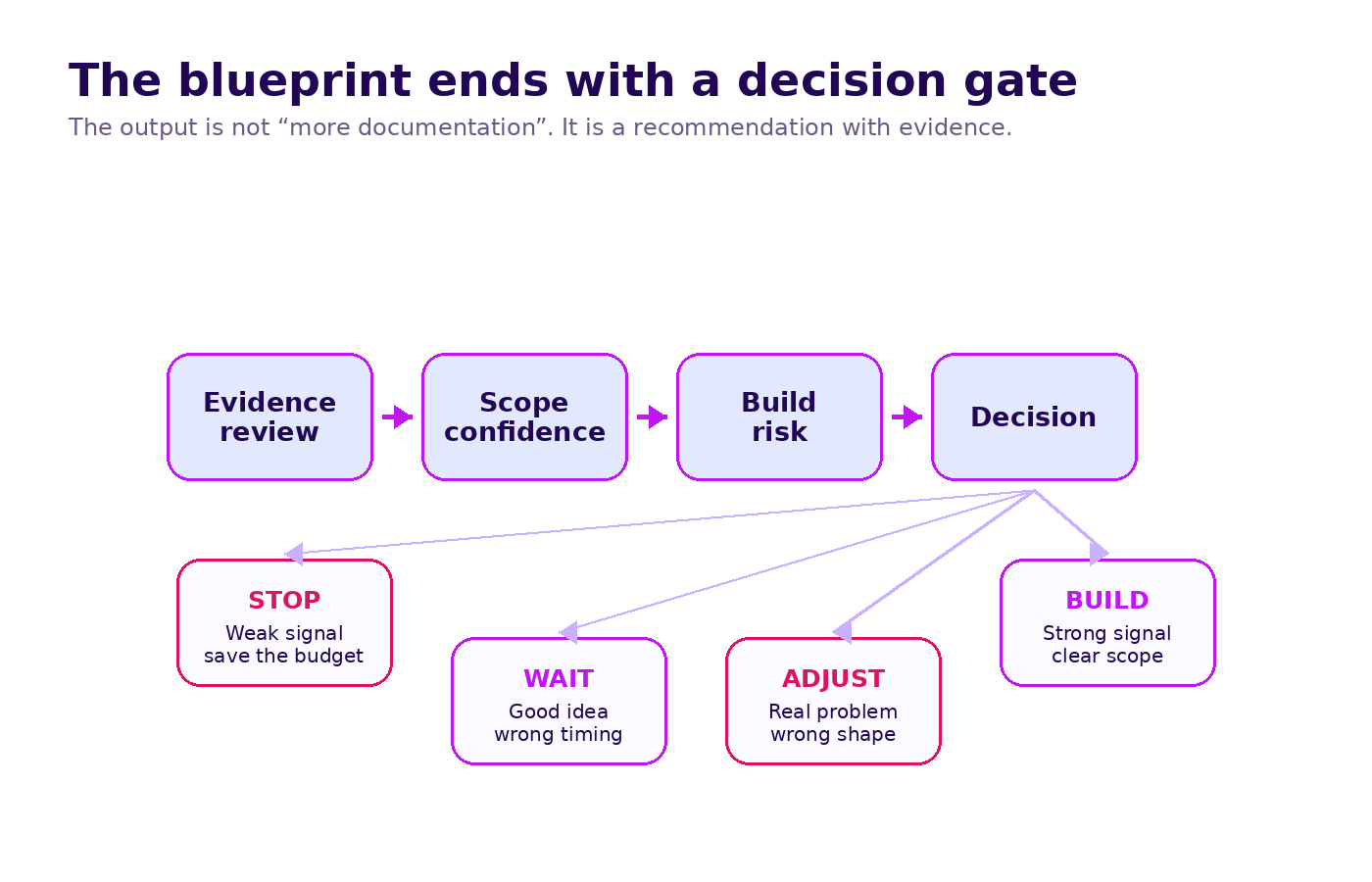
This is where the blueprint becomes useful to leadership.
Instead of asking, “How much will the app cost?” the team can ask a better question:
“Given this scope, these assumptions, this prototype evidence, and these risks, is this the right build to fund now?”
That is a different conversation. It is calmer. Sharper. Less theatrical.
How do you know if a software blueprint is good enough?
A good software blueprint is testable, buildable, and easy to disagree with.
That last part matters.
Bad documents avoid disagreement by staying vague. Good blueprints invite disagreement early, while disagreement is still cheap.
Use this scorecard before you approve the blueprint.
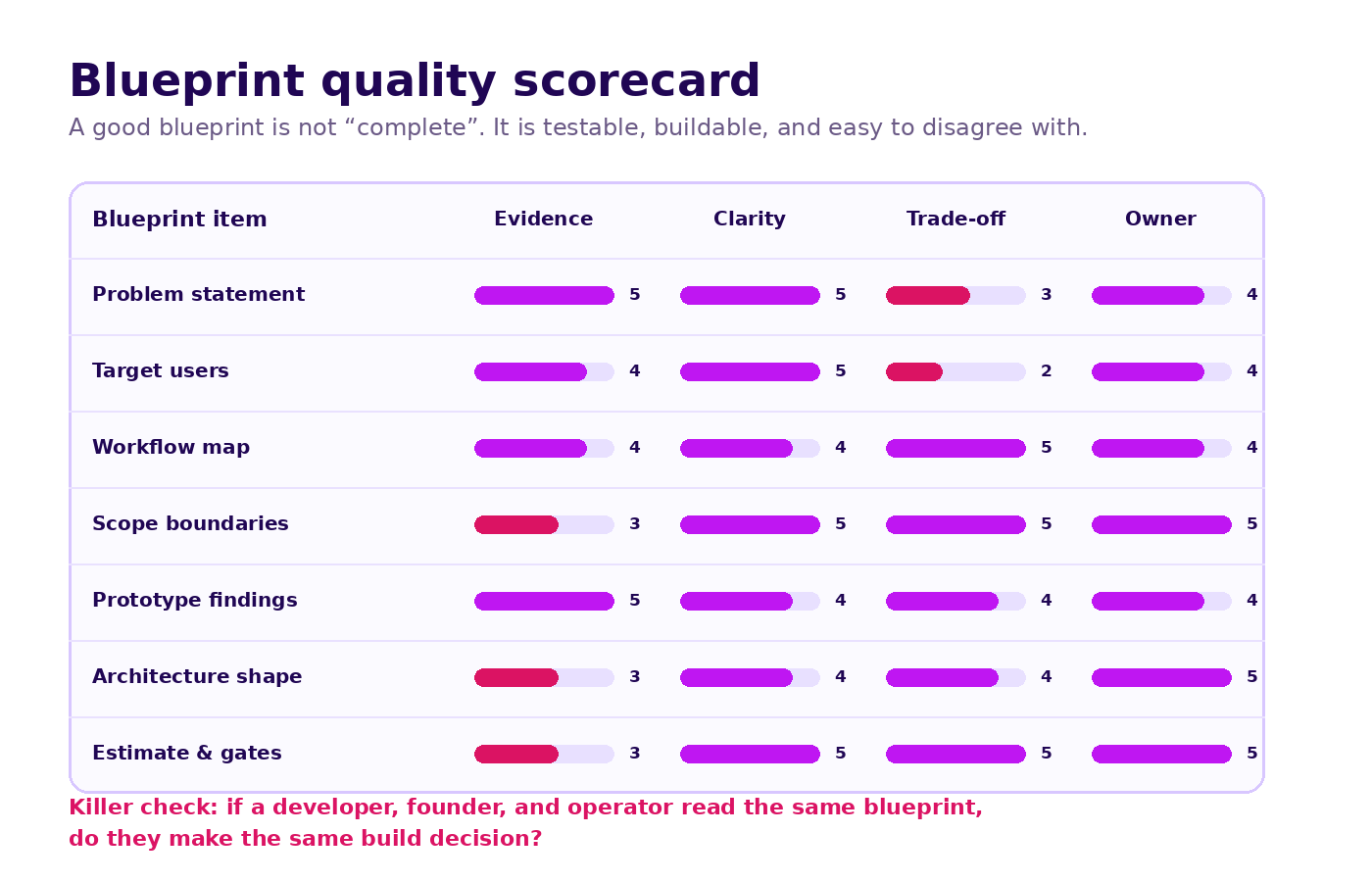
The software blueprint quality checklist
Before development starts, ask:
- Can a new team member explain the problem in one paragraph?
- Can we name the first users and the workflow they will test?
- Is the first release scope small enough to build and validate?
- Are non-goals written down, not merely implied?
- Did prototype findings change any part of the scope?
- Are technical risks visible before estimation?
- Does every major assumption have an owner?
- Can leadership see the trade-off between cost, time, risk, and learning?
- Is there a clear next decision: build, adjust, wait, or stop?
If the answer to three or more questions is no, do not start development yet. You are not saving time. You are moving uncertainty into a more expensive phase.
Do the cheap disagreement first. A two-week blueprint can surface the argument now; production development will surface it later with more people, more cost, and worse calendar pressure.
What should not be inside a software blueprint?
A blueprint can also fail by trying to include everything.
Keep these out:
- Every possible future feature. Capture them in parking lot notes, not first-release scope.
- Unchallenged stakeholder requests. If a request has no evidence, label it as an assumption.
- Final UI polish decisions. The blueprint needs design direction and tested flows, not pixel-level perfection.
- Fake certainty. If something is unknown, write it down as unknown.
- A single fixed estimate pretending nothing can change. Give the assumptions and the range.
- Technical fashion choices. Tools should serve constraints, not someone’s favorite stack.
A blueprint is useful because it is selective.
It should reduce what the team is allowed to think about during the first build. That sounds restrictive. It is. That is the job.
Who should own the software blueprint?
The blueprint should have one accountable owner, but it should not be written by one function alone.
A practical ownership model:
| Role | What they own in the blueprint |
|---|---|
| Founder / executive sponsor | Business outcome, budget decision, trade-off authority |
| Product / project lead | Scope, user flow, priority, release definition |
| Operations owner | Workflow accuracy, adoption constraints, handoff rules |
| Designer | Prototype, interaction clarity, usability findings |
| Technical lead | Architecture shape, integration risk, delivery assumptions |
| Finance / procurement | Budget model, contract readiness, commercial constraints |
The blueprint owner coordinates the package and protects the decision quality.
They are not a note-taker. They are the person responsible for making sure the document can survive reality.
What I would tell a founder before approving a software blueprint
If you are about to approve a build, read only the uncomfortable parts first.
Read the non-goals. If everything important is in scope, the first release is probably too big.
Read the prototype findings. If users only gave compliments, the test may have been too polite.
Read the assumption log. If the estimate has no assumptions, the assumptions are hiding in someone’s head.
Read the decision gate. If the recommendation is always “build”, you did not buy validation. You bought a nicer sales deck.
The right blueprint should make you more confident and slightly more cautious at the same time. Confident because the path is clear. Cautious because the risks are named.
That is the balance you want before production development starts.
FAQ
What is a software blueprint in software development?
A software blueprint is a build-ready planning package that defines the business problem, target users, workflow, first-release scope, prototype evidence, technical direction, delivery estimate, and decision gates before production development starts.
What should a software blueprint include?
It should include the problem statement, user roles, workflow map, scope boundaries, non-goals, prototype findings, technical architecture direction, data and integration assumptions, estimate, timeline, risks, and a clear build / adjust / wait / stop recommendation.
Is a software blueprint the same as a PRD?
No. A PRD describes requirements. A software blueprint connects requirements to user evidence, workflow, technical risk, scope trade-offs, and a funding decision. A PRD can be part of the blueprint, but it is not the whole package.
Do you need a prototype before writing a software blueprint?
You can draft a blueprint before a prototype, but the final blueprint is stronger after prototype testing. User behavior often changes scope, priority, and risk assumptions before the expensive production build begins.
How long should software blueprinting take?
For a focused product or internal tool, two weeks is enough to clarify the problem, map the workflow, define scope, build a prototype slice, test it with users, and produce a decision-ready blueprint. Larger enterprise programs may need a longer discovery track, but the principle is the same: validate the riskiest assumptions before committing the full build budget.
The next step
If your team is preparing to build, do not start by asking for a development quote.
Start by asking whether the build is ready to be quoted.
A good software blueprint gives you that answer. It turns “we need an app” into a scope, a prototype, an estimate, and a decision your team can defend.
Run a Blueprint & Prototype sprint → or book a discovery call.
Sources
- Nielsen Norman Group: Why You Only Need to Test with 5 Users
- NIST Secure Software Development Framework, SP 800-218
Related Posts
Two weeks to a real answer
Need help putting this into practice?
Book a Blueprint session and we'll turn the ideas in this article into a tested prototype in front of real users—2 weeks, from $3,000.