Technology Strategy
ERP Applications: Core Features & a Phased Implementation Roadmap
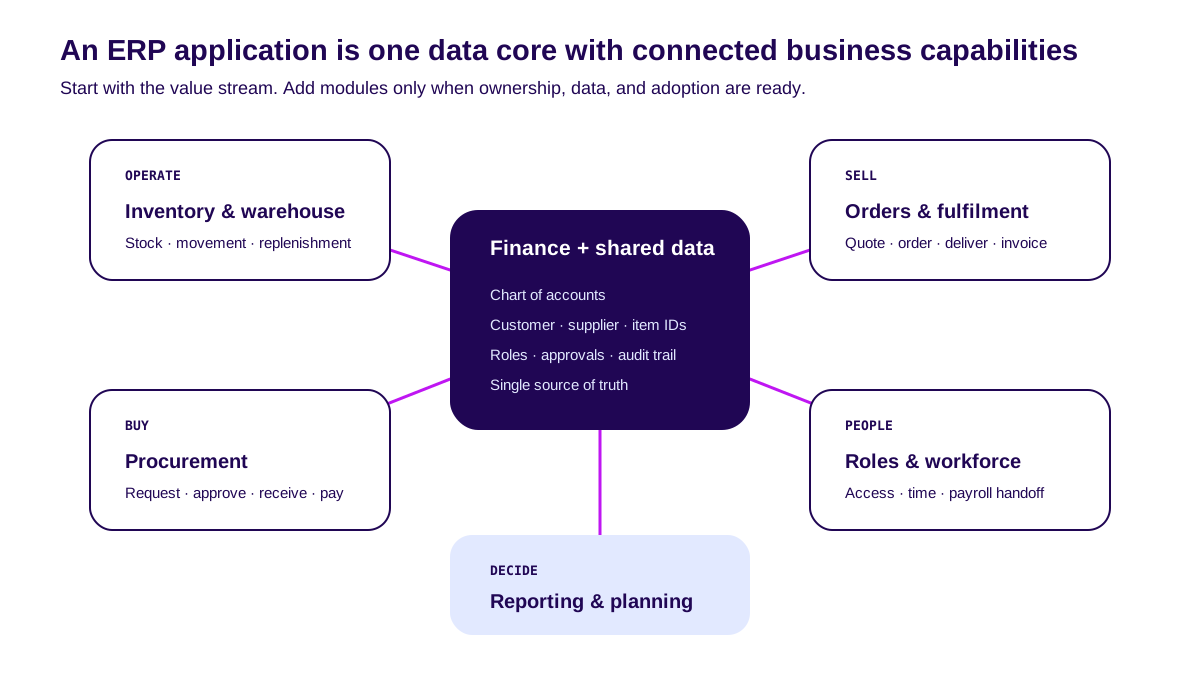
An ERP application connects finance, inventory, procurement, orders, and reporting through the same data and workflows. Its value does not come from launching every module at once. It appears when one business flow can finish without spreadsheets, re-entry, or manual reconciliation.
Teams often choose modules first and search for the problem later. Reverse that order. Start with a value stream, data owners, and an outcome. Then select the ERP capabilities required to deliver it.
This guide covers core features, SaaS vs custom vs hybrid, cost drivers, vendor checks, and a phased roadmap that limits big-bang risk.
TL;DR — the whole guide in five lines:
- An ERP application is a business operating system, not a collection of modules.
- Finance and shared master data form the core; every capability should use the same definitions.
- Start with one complete value stream, not every module at the same time.
- Use SaaS for standard work, custom for differentiation, and hybrid for both.
- Make each phase pass workflow, data, and adoption gates before expanding scope.
Proof first: active modules do not equal integrated operations
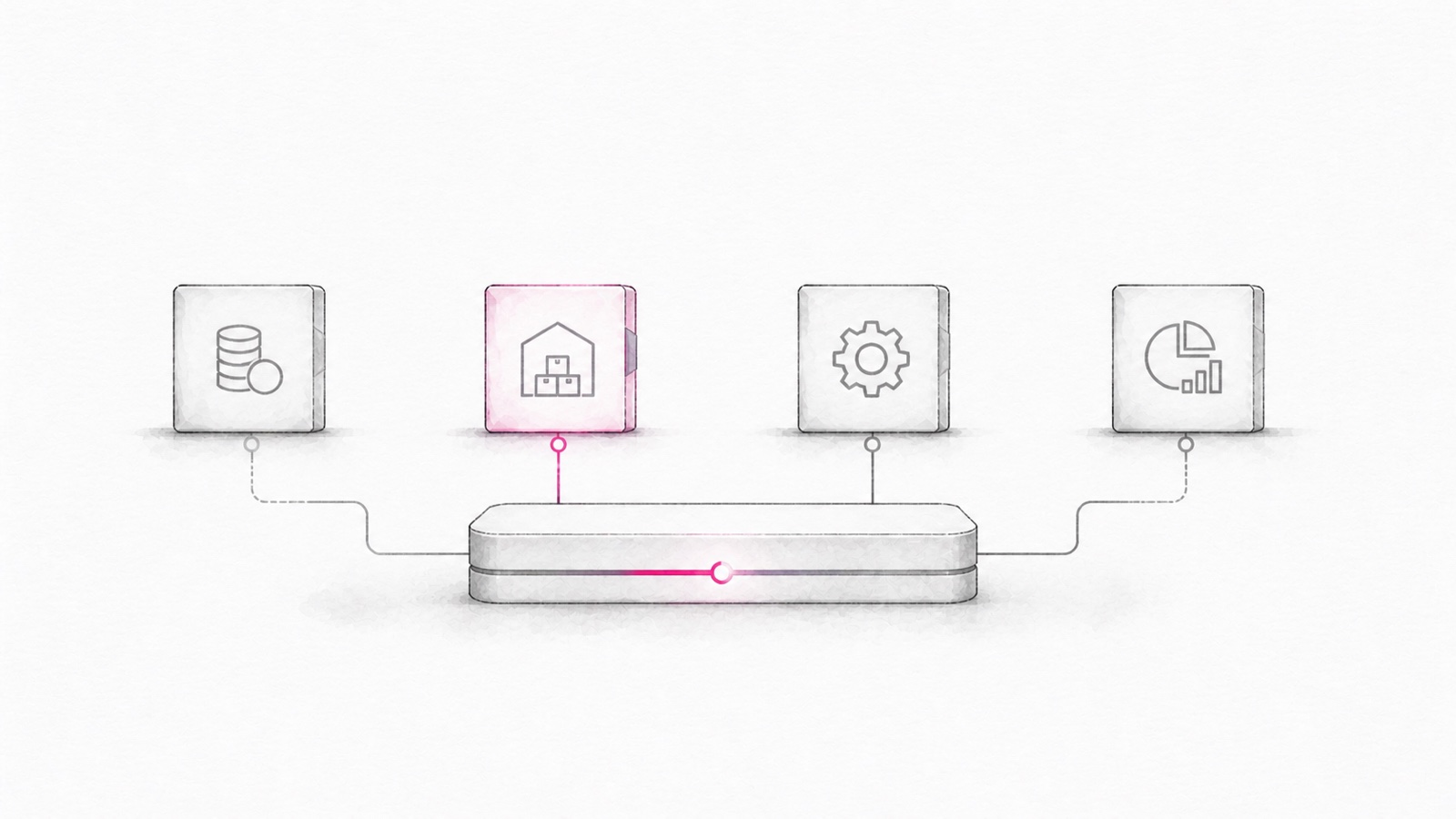
“Implemented” can be misleading. Finance, inventory, and sales may all be live while teams still send CSV files in chat because customer IDs, item codes, and cut-off times do not match.
A better receipt is one transaction from start to finish. Follow order-to-cash: create an order, allocate stock, deliver goods, issue an invoice, receive payment, and update the ledger. If one step leaves the system, the flow is not integrated.
Official Microsoft Dynamics 365 implementation guidance also treats vision, success metrics, process ownership, deployment, and change management as part of implementation strategy. Technology is one layer.
What is an ERP application?
An ERP application manages processes and data across business functions through one operating model. It records transactions, enforces roles and approvals, and connects financial records with operational activity.
Its core jobs are to:
- Record transactions using consistent definitions.
- Control approvals, roles, limits, and audit trails.
- Connect orders, stock, procurement, invoices, and payments.
- Detect exceptions before month-end.
- Measure margin, cash, service, and capacity from the same source.
Packaged vs custom vs hybrid ERP applications
| Approach | Initial cost | Initial speed | Flexibility | Best fit |
|---|---|---|---|---|
| SaaS / packaged | Lower | Weeks–months | Configuration within product limits | Finance, HR, procurement, standard workflows |
| Custom ERP | Higher | Months | High across process and integration | Unique workflows affecting margin or service |
| Hybrid | Medium | Phased | Standard core + custom edge | Growing businesses with standard and differentiating work |
Buy the process that should stay boring. Build the process that makes the business different. Use the ERP build-vs-buy framework if the boundary is still unclear.
Core ERP application features
Do not look for the longest feature list. Look for capabilities that let one value stream run, remain controlled, and produce measurable outcomes.
1. Finance and accounting
This covers chart of accounts, journals, receivables, payables, cash, tax handoff, period close, and financial reporting.
Evidence: operational transactions create correct, traceable postings that can be corrected without editing the database.
2. Shared master data
Customers, suppliers, items, units, warehouses, branches, and accounts need stable IDs and accountable owners.
Evidence: create-change-merge rules, duplicate detection, approvals, and audit trails exist. Otherwise ERP simply distributes bad data faster.
3. Inventory and warehouse
Core capabilities include stock on hand, reservations, movement, lot or serial tracking where relevant, stock counts, replenishment, and valuation.
Evidence: system stock reconciles with physical stock, including damaged goods, returns, and transfers.
4. Procurement
The flow includes request, budget check, approval, receiving, three-way match, invoice, and payment.
Evidence: exceptions such as partial receipts, price variance, and supplier substitution have owners and resolution paths.
5. Sales order and fulfilment
The application should connect quotes, price rules, credit checks, allocation, delivery, invoicing, and returns.
Evidence: priority orders and limited stock produce consistent decisions rather than spreadsheet battles.
6. Roles, approvals, and audit
Role-based access, segregation of duties, approval limits, change logs, and access reviews are the control layer—not optional admin features.
Evidence: actions are traceable, access can be revoked quickly, and emergency access expires and receives review.
7. Reporting and exception management
Pretty dashboards are insufficient. Teams need actionable signals: blocked orders, stock mismatch, overdue invoices, approval ageing, and margin variance.
Evidence: each alert has a threshold, owner, and next action. Otherwise the dashboard is expensive wallpaper.
When is off-the-shelf enough—and when do you need custom?
Choose packaged software when processes follow common practice, the team can adapt its SOP, integrations are understood, and competitive advantage does not live in that workflow.
Consider custom or hybrid when unique pricing changes rapidly; allocation or routing drives margin; customer workflow does not fit; volume or exceptions exceed the product model; or the integration layer needs dedicated ownership.
Custom is not a reward for stakeholders who refuse to change. It is an investment in a proven constraint or advantage.
Validate it in 2 weeks. Blueprint & Prototype maps the flow, exceptions, data ownership, and first-phase scope before you lock in a platform or build budget — see how Blueprint works.
How much does an ERP application cost?
No single number works across businesses. Total cost depends on users, modules, legal entities, warehouses, migration, integrations, customisation, environments, training, support, and change.
Model three scenarios:
| Scenario | What to include |
|---|---|
| Base | Current users and entities, one value stream, required integrations |
| Expected | User growth, two or three modules, support, and reporting |
| Growth | New branch or entity, doubled volume, additional workflows and integrations |
Ask for an invoice model, not only a proposal total. Use the ERP vendor evaluation checklist for security, SLA, data export, and exit controls.
How to implement an ERP application without a big-bang failure
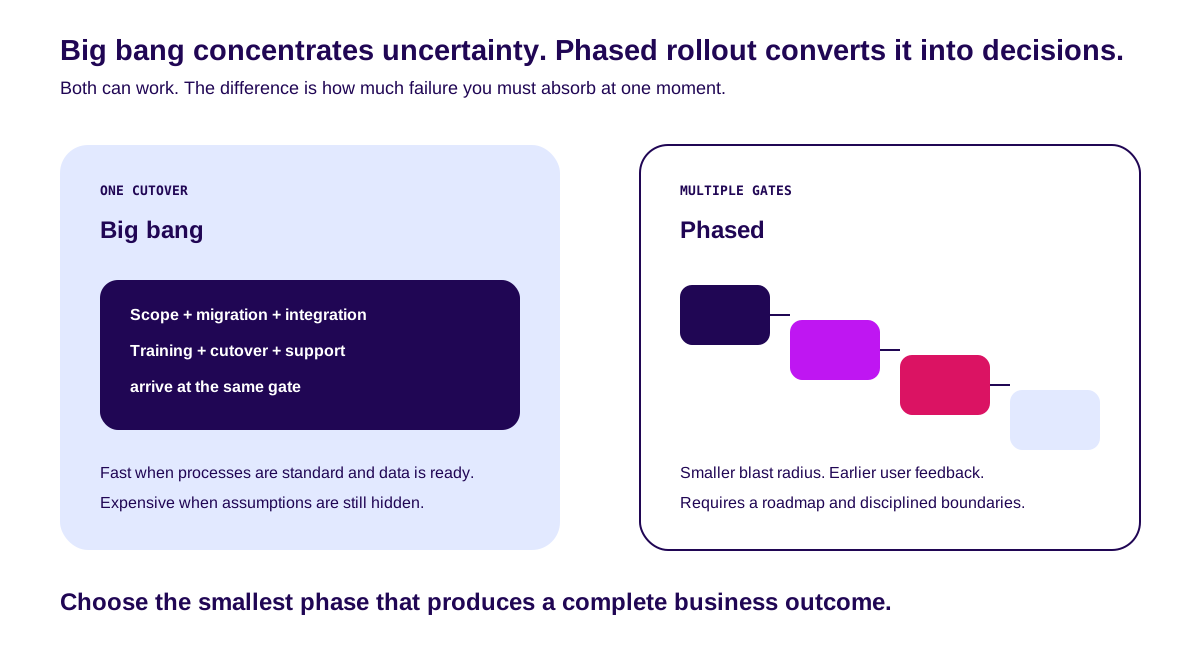
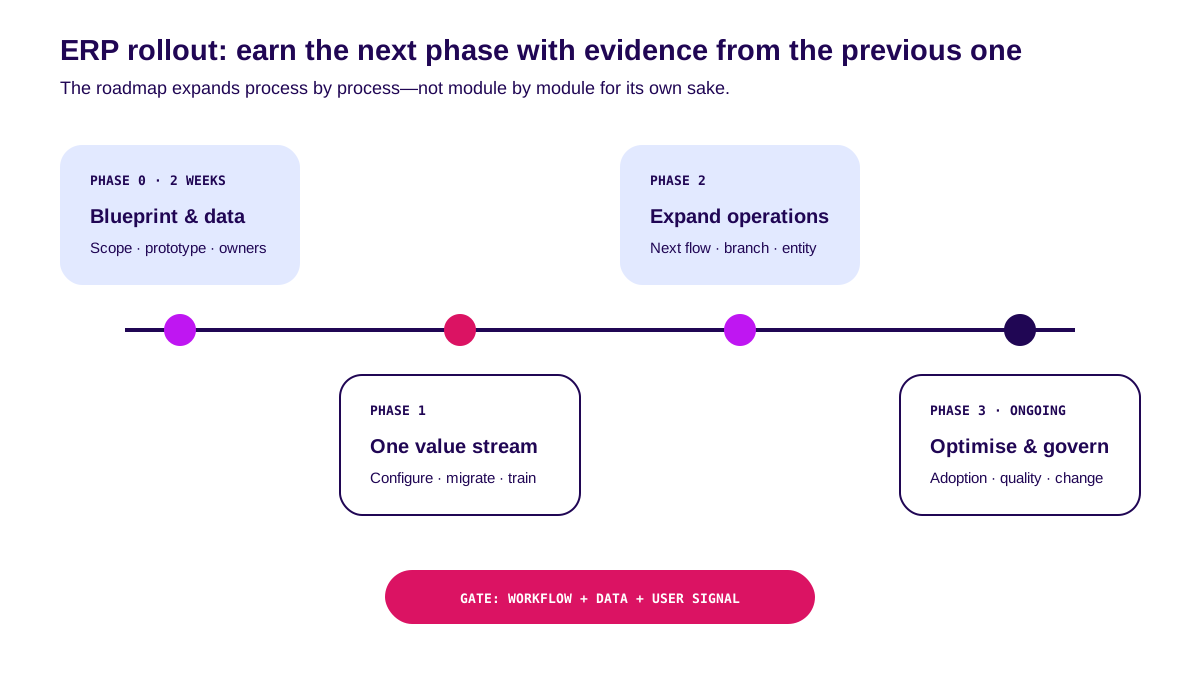
Oracle’s official overview of ERP modules notes that ERP can be launched through big-bang or phased deployment—by module, business unit, or region. For a growing business, phased rollout often creates earlier learning and a smaller blast radius. Scope expands after evidence.
Phase 0 — Blueprint and data foundation
Choose one outcome. Map current and future flows, exceptions, master data, roles, integrations, baseline metrics, and acceptance criteria. Prototype the riskiest step.
Gate: business owner, users, and delivery team agree on what must work—not only what must be built.
Phase 1 — One end-to-end value stream
Configure or build the complete flow. Clean a bounded dataset. Test roles, integrations, reconciliation, and rollback. Train users through real tasks.
Gate: transactions complete, postings reconcile, exceptions resolve, and users work without shadow spreadsheets.
Phase 2 — Expand operations
Add the next flow, branch, warehouse, entity, or user group. Reuse the data standards, testing pattern, and adoption playbook from phase one.
Gate: data quality and support capacity remain stable as volume grows.
Phase 3 — Optimise and govern
Remove workarounds, improve controls, automate exceptions, review access, and prioritise change using usage evidence rather than the loudest request.
Gate: every change has an outcome, owner, cost, and measurement.
The official SAP Activate methodology uses six phases from Discover to Run with checkpoints. The names can differ. The principle remains: prepare, validate fit, realise, deploy, then continuously optimise.
What we recommend before choosing an ERP application
- Start with an outcome, not a module. “Close faster” is more useful than “activate finance”.
- Keep the core standard. Customise only where the constraint or advantage is real.
- Assign owners to data and exceptions. Software cannot own either for you.
- Test cutover and rollback. Hope is not a deployment strategy.
- Do not open the next phase before adoption appears. Login is not adoption; workflow completion is.
The next step is simple: select one value stream, measure its baseline, and design the smallest phase that produces a complete business outcome.
FAQ
What is an ERP application?
It is software that connects processes and data across finance, inventory, procurement, orders, and reporting through one operating model.
What is the best ERP application?
The best fit matches your workflows, data, controls, integrations, budget, and adoption capability. No product wins in every context.
How much does an ERP application cost?
Cost depends on users, modules, entities, migration, integrations, customisation, training, and support. Compare three-year base, expected, and growth scenarios.
Can an ERP application be custom built?
Yes. Use custom for workflows that materially change margin, speed, or service. Prefer packaged software for standard processes where practical.
Should ERP implementation be big bang or phased?
Big bang can work when processes are standard, data is ready, and cutover is controlled. Phased rollout is safer when unknowns, integrations, or change management are substantial.
Related Posts
Two weeks to a real answer
Need help putting this into practice?
Book a Blueprint session and we'll turn the ideas in this article into a tested prototype in front of real users—2 weeks, from $3,000.