What Is SaaS? The Model, the Benefits and When to Choose It
What is SaaS? Learn how software as a service works, what it costs over three years, and when renting beats building, with a worked example.
 By Aditya S November 5, 2026 Updated November 11, 2026 9 min read
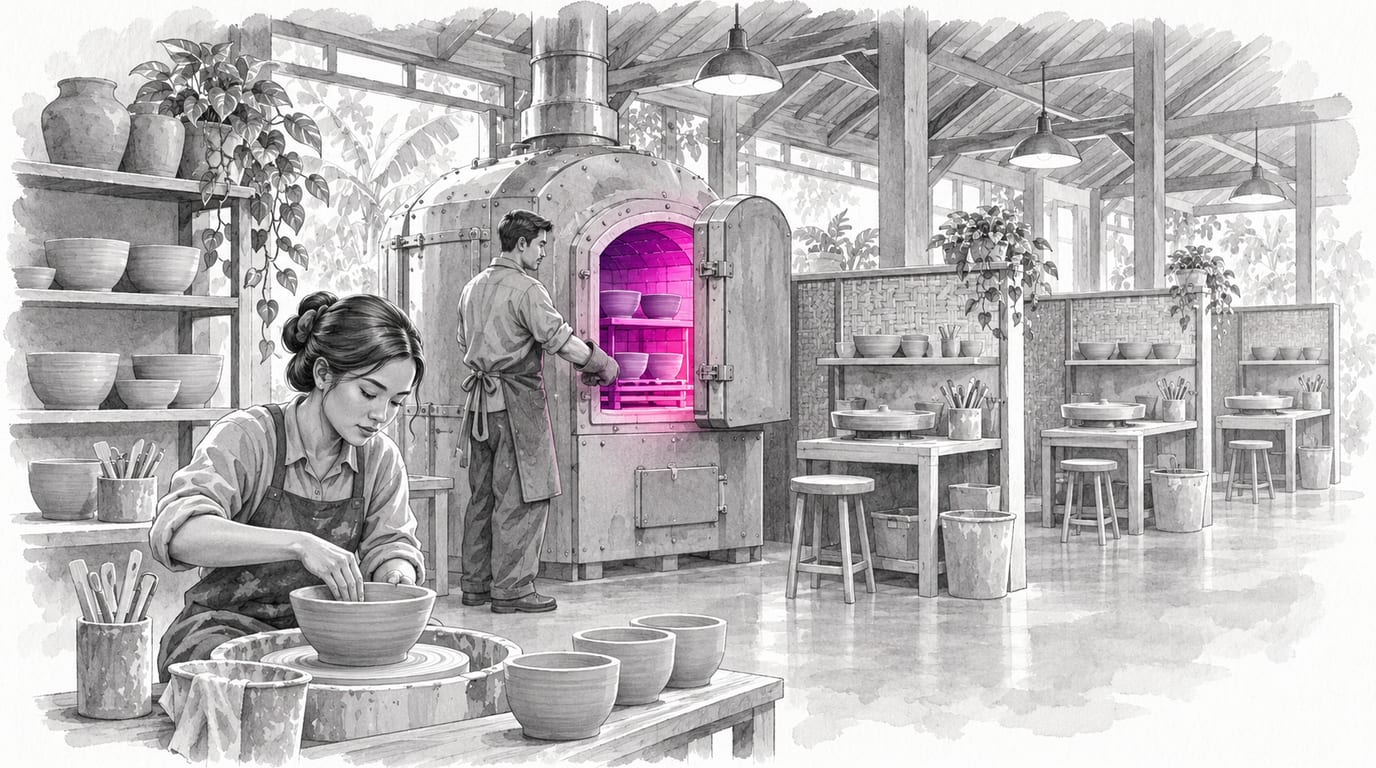
What is SaaS? SaaS (software as a service) is software you rent and use through a browser or app, while the vendor runs, updates and secures it for you. You pay a recurring fee, usually per user or per month, instead of buying or building the program.
I’m Aditya S, Business Development Manager at Synetica, a tech-based business consultancy combining strategy and execution for Dreamers and Growing Businesses. This guide explains SaaS through a fictional distributor whose numbers you can check line by line. The figures are teaching assumptions, not Synetica client results, vendor prices or industry benchmarks.
You’ll learn how SaaS works, why it matters for a build-or-buy decision, which types exist, where it breaks down, and a five-question test for choosing it.
TL;DR — the whole guide in five lines
- SaaS is renting, not owning: you get a working service fast, and you accept the vendor’s product, schedule and pricing.
- Cost grows with people: in our example SaaS costs IDR 231 million over three years at 40 users and IDR 1,095 million at 200.
- Custom is flatter: a one-off build of IDR 640 million over three years overtakes SaaS at about 116 users.
- Fit beats price: if the standard product covers less than 80% of your process, you pay twice, once for the fee and once for workarounds.
- Plan the exit before you sign: ask how you export your data on day one, not on the day you leave.
What is SaaS, and how is it different from other software?
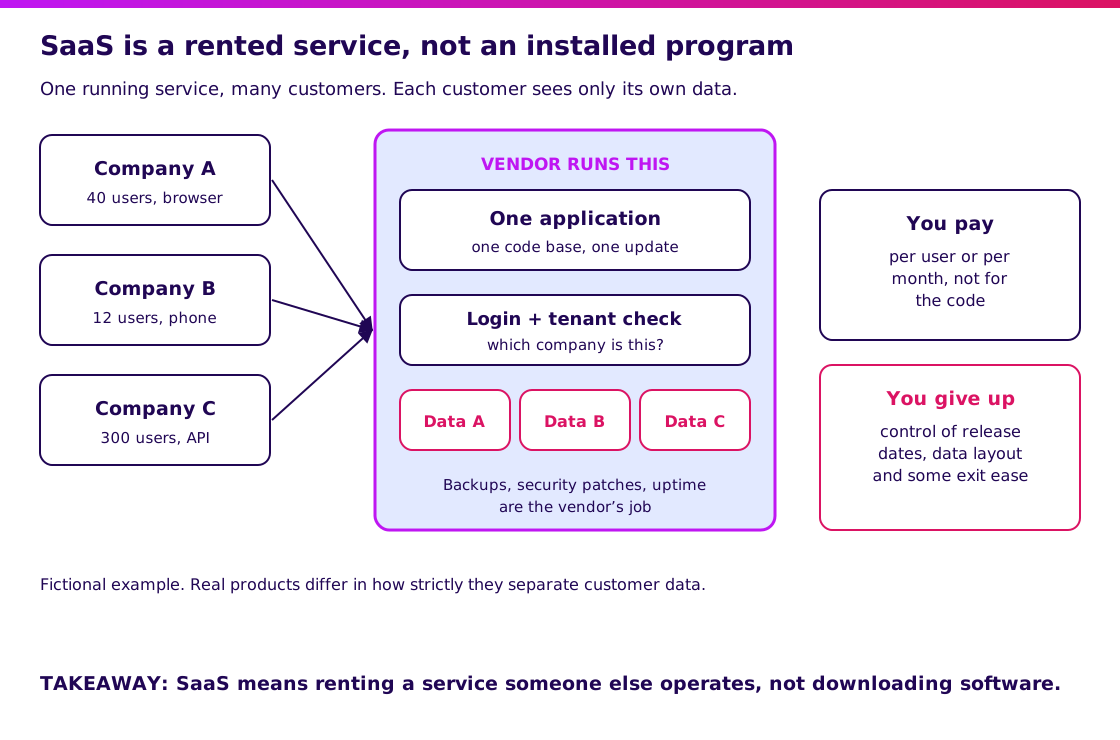
SaaS is a rented service that someone else operates, not a program you install and maintain. The US National Institute of Standards and Technology describes SaaS as using the provider’s applications running on cloud infrastructure, accessed from a thin client such as a web browser, with the consumer not managing the underlying servers. Think of electricity: you use what you need and pay the utility, instead of building a power plant.
| Term | What it means | Who runs it | Example |
|---|---|---|---|
| SaaS (software as a service) | Finished application used over the internet | The vendor | Online accounting or CRM |
| On-premise software | Application installed on your own servers | You | A system on a server in your office |
| Custom software | Application built for your exact process | You or your vendor, owned by you | A bespoke dispatch system |
| IaaS / PaaS | Servers or a platform to build on, not a finished app | You build on top | Cloud servers, app hosting |
| Open-source software | Code you can read and change, often self-hosted | You, unless you pay for hosting | A self-hosted tool |
In practice most businesses use several of these at once. A product can mix these. A company might use SaaS for accounting and a custom system for its core operations. That mix is called hybrid.
See how SaaS fits the wider build-or-buy question.
Why does SaaS matter for your business?
SaaS matters because it turns a large upfront purchase into a monthly cost, and it lets you start in days instead of months. The trade is control: you rent the vendor’s idea of the process.
Take a fictional food distributor with 40 staff who need an inventory and order tool. A SaaS product costs an assumed IDR 150,000 per user per month, plus IDR 15 million to set up. Over three years that is 40 × 150,000 × 36 = IDR 216 million, plus 15 million, so IDR 231 million.
A custom build is assumed to cost IDR 400 million, plus IDR 80 million a year to host and maintain. Over three years that is 400 + 3 × 80 = IDR 640 million, whatever the headcount.
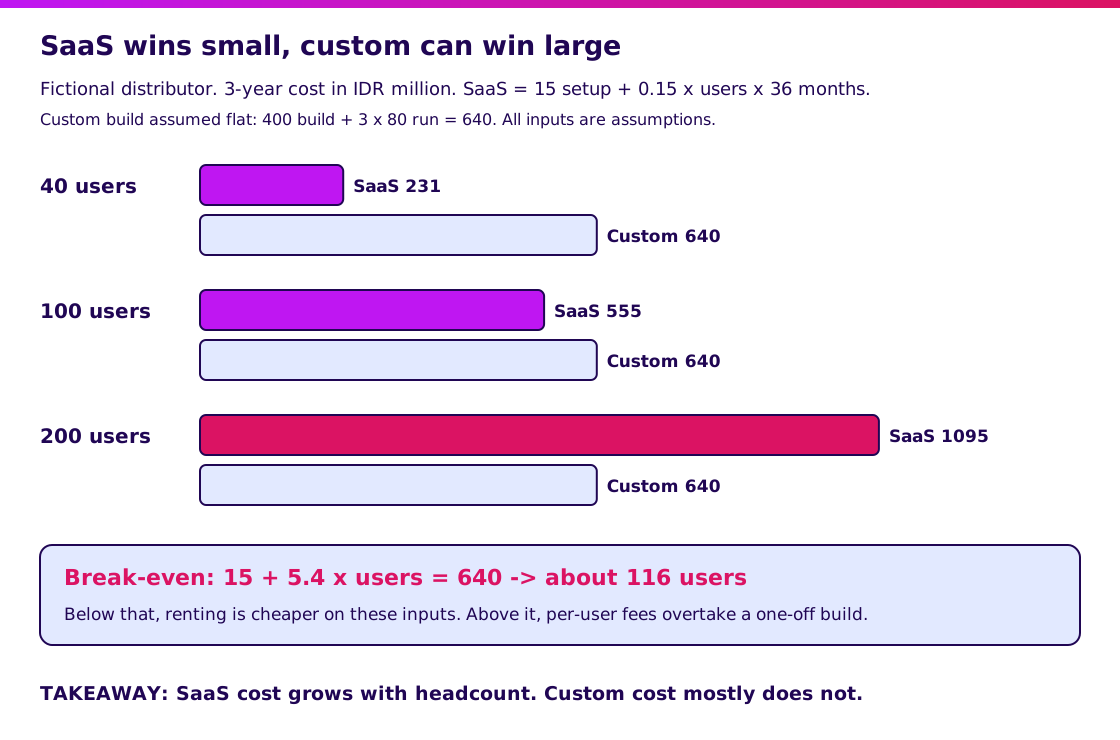
Each extra user adds 150,000 × 36 = IDR 5.4 million over three years. Break-even is where 15 + 5.4 × users = 640, which is about 116 users. At 100 users SaaS is IDR 555 million; at 200 it is IDR 1,095 million.
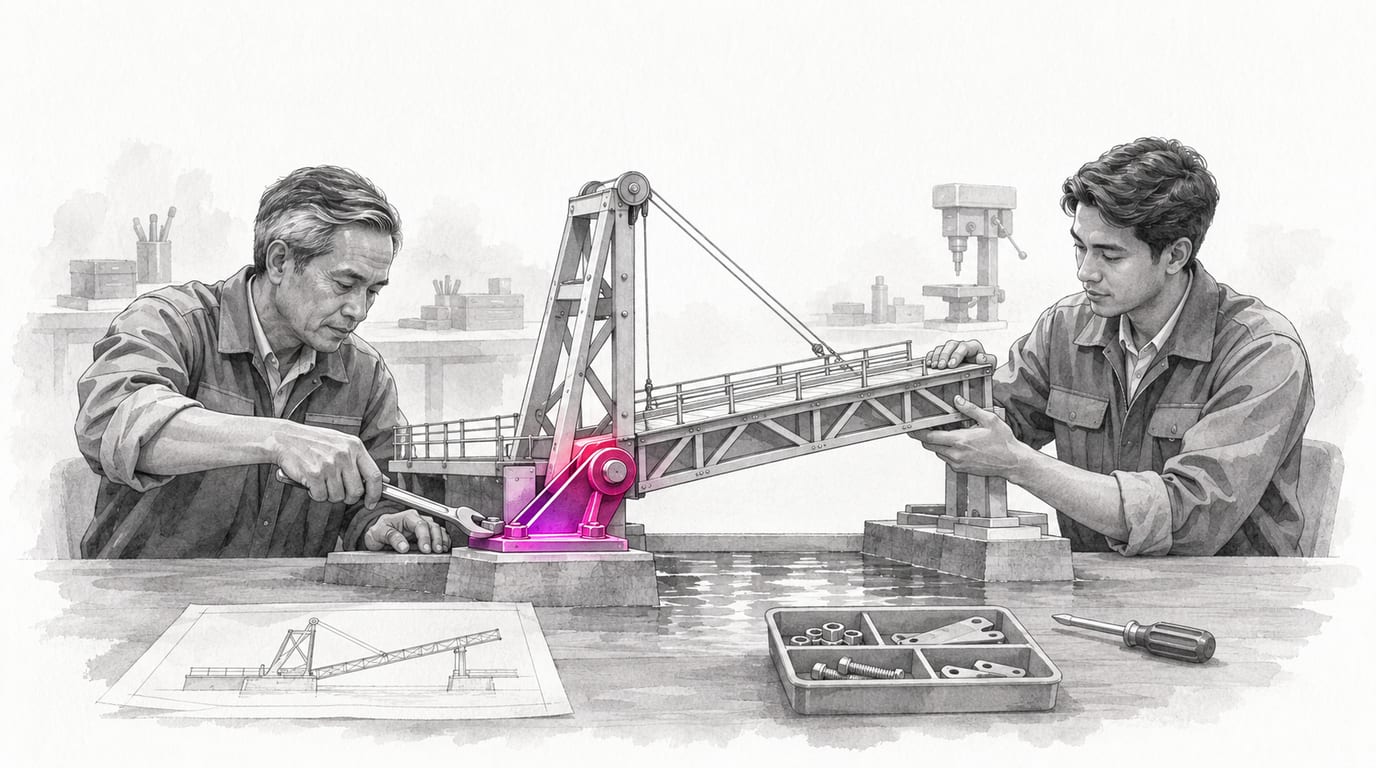
All inputs are invented, and real quotes include tiers, discounts and add-on fees. Use the method, not the numbers. Open the cost diagram at full size.
How does SaaS work?
Many customers share one running application, and a tenant check keeps each customer’s data separate. You log in, the service identifies your company, and it shows only your records.
That design is why updates arrive for everyone at once and why you cannot ask for a private change. It is also why the vendor, not you, handles backups, security patches and uptime.
Three practical consequences follow:
- Speed: you can often start within days, after configuring accounts and importing data.
- Standardization: the product assumes common processes; yours must fit or bend.
- Dependency: if the vendor changes a price, a feature or a data format, you adapt.
Open the how-it-works diagram at full size. Real products differ in how strictly they isolate customer data, so ask the vendor how theirs does it.
What types of SaaS are there?
SaaS comes in horizontal products for every business and vertical products for one industry. Which kind you pick changes how well it fits.
| Type | What it covers | Best for | Watch out for |
|---|---|---|---|
| Horizontal | Common functions: accounting, CRM, email, HR | Standard processes | Generic workflows |
| Vertical | One industry: clinics, hotels, logistics | Industry rules built in | Smaller vendors, narrower exports |
| Per-user pricing | Fee grows with headcount | Small teams | Cost at scale |
| Usage-based pricing | Fee grows with volume | Spiky or small volume | Unpredictable bills |
| Tiered / flat pricing | Fixed plan with limits | Predictable budgets | Hitting the limit |
A narrower product usually fits better but gives you fewer vendors to choose from. Compare it with a build in our custom software guide.
When should you choose SaaS?
Choose SaaS when a standard product covers most of your process and the process is not what sets you apart. Run five questions in order and stop at the first one that decides it.
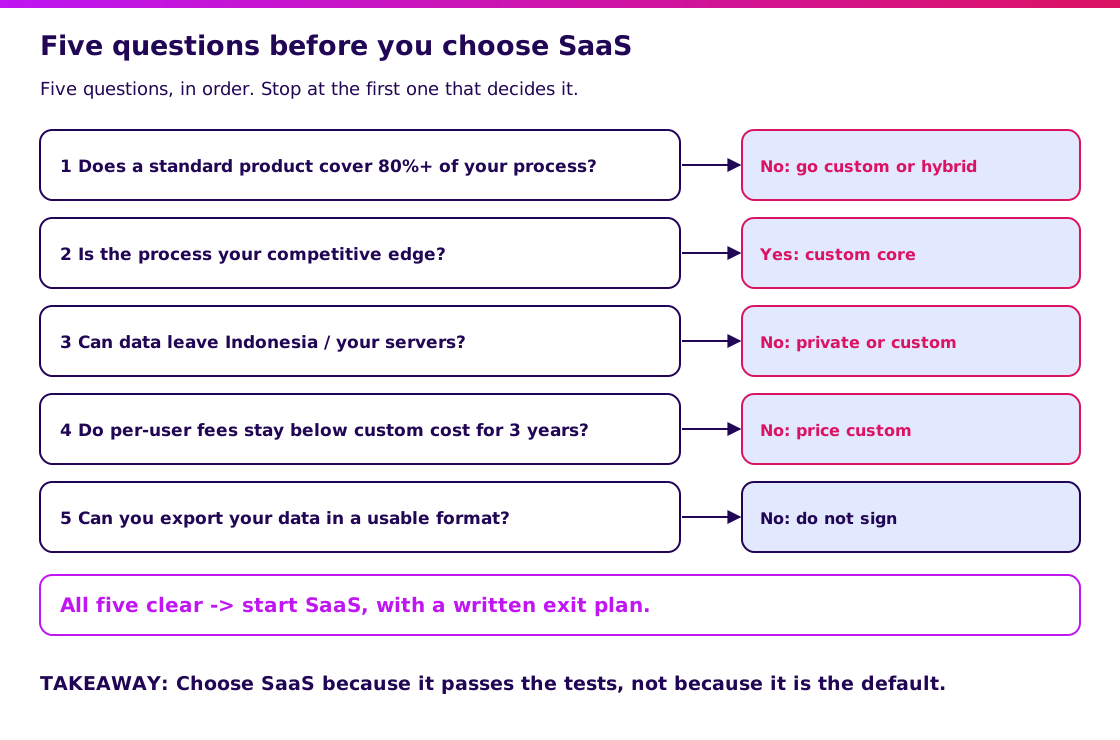
- Does a standard product cover 80% or more of your process? If not, expect workarounds, or consider custom or hybrid.
- Is this process your competitive edge? If yes, owning it is usually worth more than renting it.
- Can your data sit on the vendor’s servers? Some regulated or sensitive data cannot.
- Do per-user fees stay below the custom cost over three years? Redo the break-even sum with your own headcount.
- Can you export your data in a usable format? If not, do not sign.
The 80% rule is a rule of thumb for this guide, not a standard. Open the decision diagram at full size.
Validate it in 2 weeks. Blueprint & Prototype tests your assumptions before you commit to SaaS or a build, turning them into a prototype, agreed scope and a cost estimate. The two-week promise covers prototype validation; it does not guarantee a production launch.
At Synetica, Blueprint & Prototype takes 2 weeks, Production Grade Software takes 8 weeks, and Launch & Grow runs as an ongoing monthly retainer. If the answer is custom, the 8-week build starts from the validated scope.
What mistakes do teams make with SaaS?
The most common mistake is buying on the demo and paying for the gap between the demo and your process. The demo shows the product’s best path, not yours.
- Comparing price per user and ignoring headcount growth. Redo the sum for next year’s team.
- Skipping a trial with your real data. Import a month of real orders before deciding.
- Ignoring integrations. A tool that cannot talk to your accounting system creates double entry. Learn how APIs connect systems.
- Forgetting the exit. Ask for a sample export and the notice period before you sign.
- Customizing around the product. Many workarounds are a sign the product does not fit.
- Assuming a vendor will always exist. Check how long they have operated and what happens to your data if they close.
Security and data location deserve a written answer, not a verbal one. Ask where data is stored, who can access it, how long backups are kept and what the vendor commits to after an incident. A vendor that answers vaguely before you sign will not become clearer after.
What would I tell a founder weighing SaaS against a build?
Start with SaaS when the process is common, and build when the process is your edge or the headcount makes fees expensive. Rent the boring parts and own the parts customers pay you for.
For a Growing Business replacing spreadsheets, a well-chosen SaaS tool is often the fastest improvement. For a Dreamer with a new idea, a prototype that tests demand usually comes before choosing any platform; our MVP guide shows how.
My next step would be to book a scoping conversation with your process, headcount and the two or three products you are considering.
FAQ — Understanding SaaS
What is SaaS in simple terms?
SaaS is software you rent and use through the internet. The vendor installs, runs, updates and secures it, and you pay a recurring fee, often per user per month.
What is an example of SaaS?
Online accounting, CRM and team chat tools are common examples. You log in with a browser or app and do not install a program on your own server.
What is the function of SaaS?
It gives a business a working application without building or operating it. That shortens the time to start and moves cost from a large purchase to a monthly fee.
What is the difference between SaaS and an information system?
An information system is any set of people, processes and software that handles information in an organization. SaaS is one way to deliver the software part of it, alongside on-premise and custom options.
Why is SaaS important?
Because it lets small teams use capable software without a large upfront cost. It also makes the build-or-buy decision explicit, since renting is often cheaper at small scale and custom can be cheaper at large scale.
Related Posts
Aditya S
Business Development Manager, Synetica.
Put it into practice
Need help putting this into practice?
We turn the ideas in this article into a prototype tested with real users in 2 weeks (from Rp49jt)—or production-grade software in 8 weeks (from Rp100jt).